

PartSmart 8.16
PartSmart provides fast, reliable electronic parts catalogs to help your parts department run smoothly
Program info
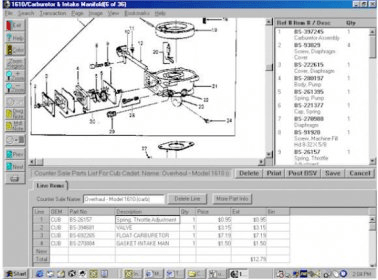
Find and select electronic parts for hardware sets according to specifications. Customize the view to analyze and compare part information, check out related numbers, illustrations, and data updates. Zoom in to get a more detailed look, save bookmarks, etc.
PartSmart provides a quick and reliable way to find the right part. Its main features include the ability to customize data display, create pick lists, and print or download to ordering or business management software packages.
It provides the fastest way to find the right part the first time. Without a fast, reliable electronic parts catalog, your parts department comes to a halt.
Main features:
- Display data the way you want: PartSmart lets you customize the way you view parts information – part numbers and illustrations together or separately; entire illustration; or zoom in on a particular area to improve detail.
- Create a Pick List: PartSmart lets you add part(s) to a Pick List by simply clicking on the part/reference number, then print or download to ordering or business management software packages. You can create any number of Pick Lists to support your operation.
- Find parts easier: PartSmart catalog information is searchable by part number, model number, part description and year.
Details
Extensions

No information available
The data will be available later.


![Download Chrysanth Cheque Writer [Free] for Pakistan](https://img.informer.com/icons/png/16/7042/7042325.png)

Comments